TEMPORARY 2-IN-1 GUIDE
FEEDBACK BATTERY SLEEP
What the vibration, LED, powerbank indicator, and sleep behavior mean.
The device talks back with vibration, LED, and sometimes the external powerbank indicator. Do not expect every action to vibrate. Some commands are silent on purpose.
1. Feedback Legend
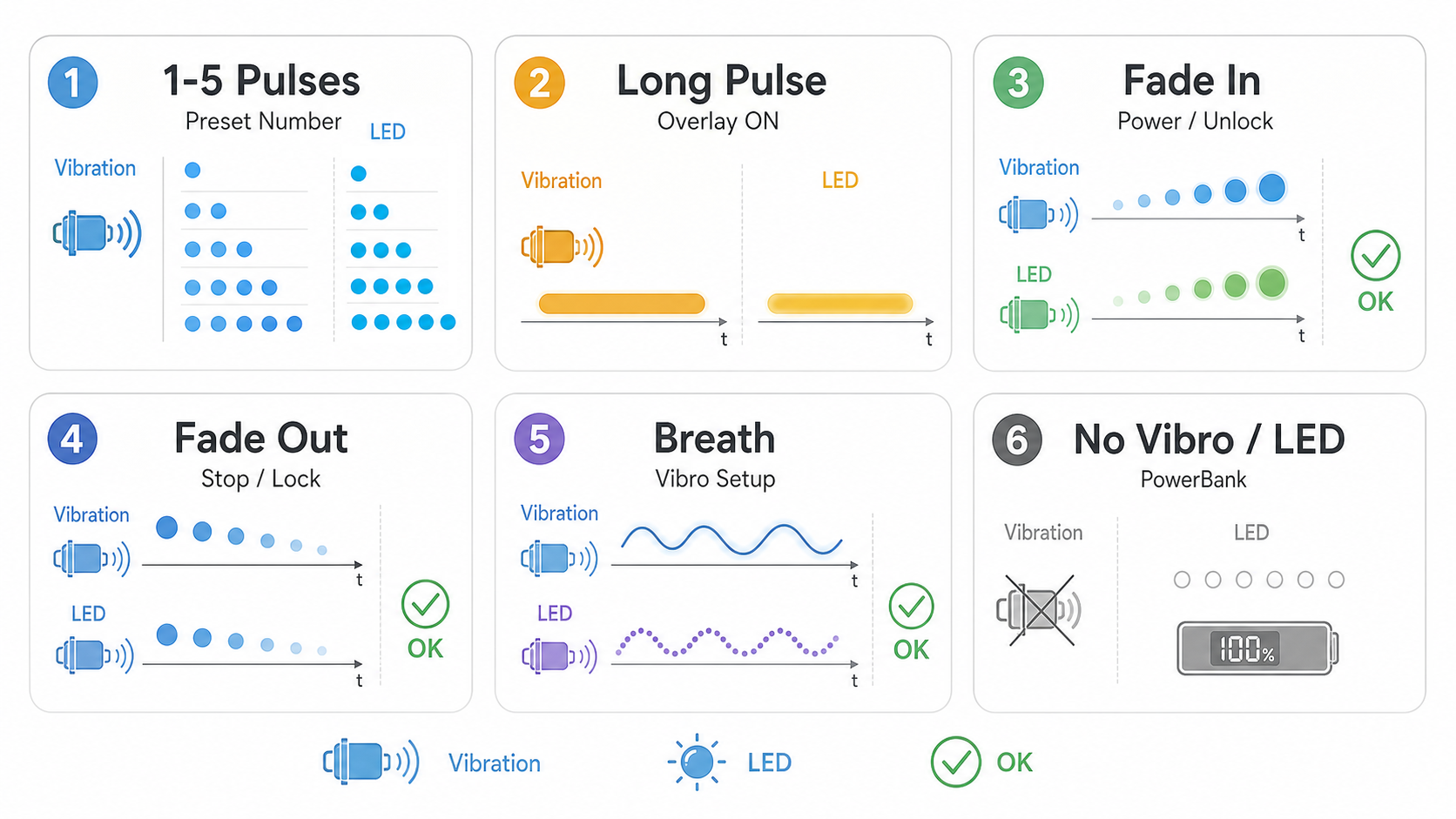 Most feedback is simple counting: one pulse means Preset 1, two pulses mean Preset 2, and so on.
Powerbank Check Is Quiet
One short tap in Locked or Ready updates the powerbank indicator. It does not need local vibration or LED feedback. Look at the powerbank indicator instead.
2. Battery And Sleep
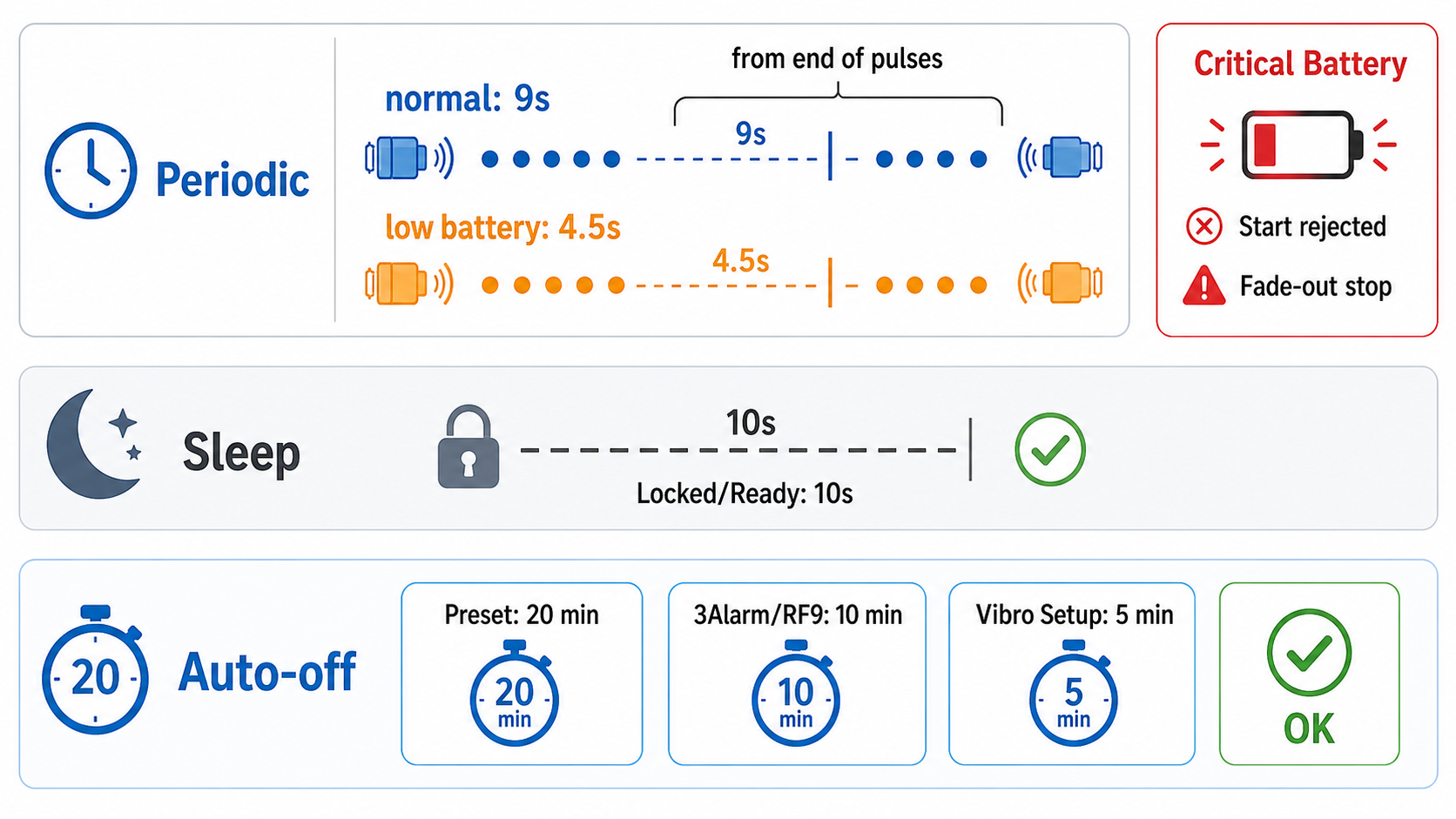 Low battery makes preset feedback more frequent. Critical battery can reject a start command.
1
Normal battery
Preset feedback repeats about every 9 seconds from the end of the previous pulse group.
2
Low battery
Preset feedback becomes faster, about every 4.5 seconds from the end of the previous pulse group.
3
Critical battery
The device may refuse to start or may stop an active mode. That can feel like the button did nothing, but it is battery protection.
| Situation | Approximate timeout | What happens |
|---|---|---|
| Locked or Ready, no action | 10 seconds | Sleep |
| Preset 1-5 running | 20 minutes | Auto-stop, then sleep |
| 3Alarm or RF soft tag deactivator running | 10 minutes | Auto-stop, then sleep |
| Vibro Setup open | 5 minutes | Exit, then sleep |
3. Vibro Setup
Vibro Setup changes how the vibration feels. It is not needed for normal use, but it is useful if the vibration feels too weak, too sharp, or too soft.
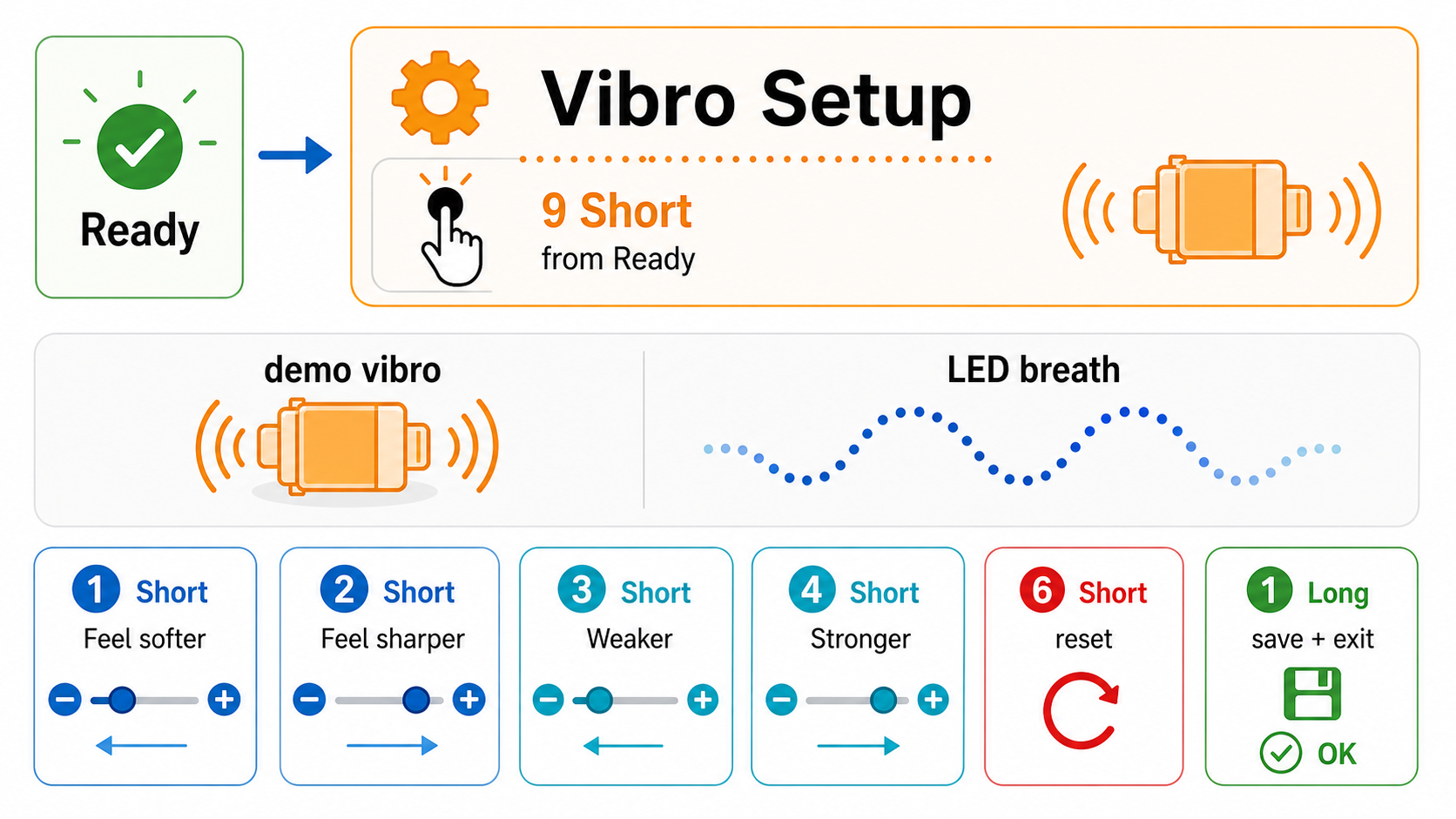 Open Vibro Setup with 9 short taps from Ready.
| Inside Vibro Setup | Result |
|---|---|
| 1 short tap | Feel softer |
| 2 short taps | Feel sharper |
| 3 short taps | Weaker |
| 4 short taps | Stronger |
| 6 short taps | Reset to the basic setting |
| 1 long press | Save and exit |
Save Before You Leave
The vibration changes while you test them. To save the final setting on purpose, leave Vibro Setup with 1 long press.