2-IN-1 ONE-BUTTON GUIDE
READ THIS FIRST
Do not try to guess commands. The same button does different jobs depending on whether the device is Locked, Ready, or already running. Learn the basic rhythm first, then the rest becomes much easier.
Study Order
Read the guide in this order if this device is new to you.
Learn the five presets, AM overlay, 3Alarm, and RF soft tag deactivator without mixing them up.
Read vibration and LED feedback, battery warnings, sleep, auto-off, and Vibro Setup.
1. Fast Start
Use this path when you only need to get the device running.
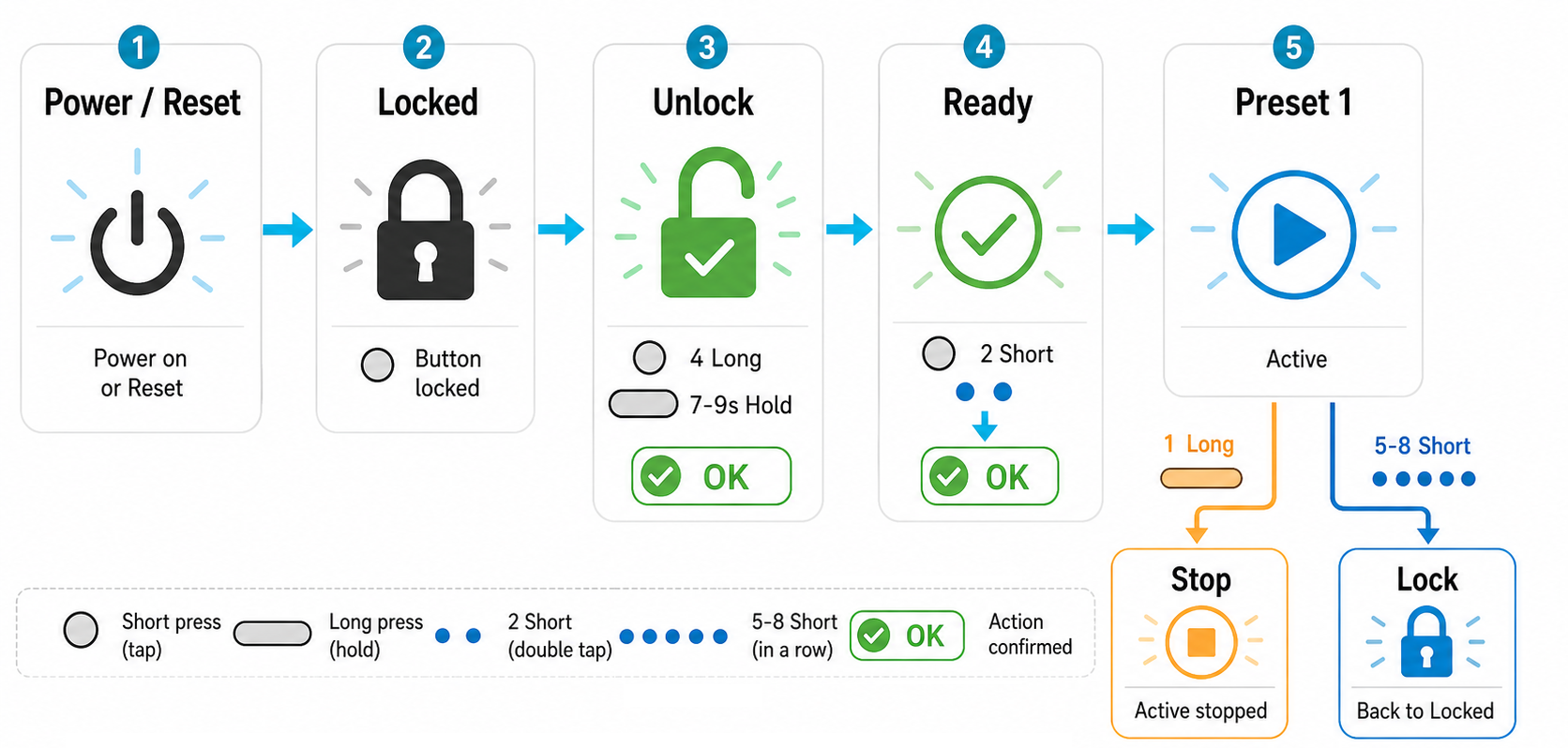 The shortest safe path: power, unlock, start Preset 1, stop, lock.
After power or a hardware restart, the device starts locked. That is normal. It is there to prevent an accidental start in your pocket or bag.
Use either 4 long presses or one 7-9 second hold. After unlock, the device is ready but not running yet.
From Ready, press 2 short taps. The device starts Preset 1 and confirms it with one short vibration/LED pulse.
While a mode is running, press 1 long press to stop and return to Ready.
Use 5-8 short taps to lock the device before carrying or storing it.
State Matters
From Ready, 2 short taps start the current preset. While a preset is running, short tap groups are used for navigation or locking. If you are unsure, stop first and return to Ready.
2. The Main Map
The device has a few states. You do not need to memorize all of them today. Just remember: Locked is safe, Ready accepts commands, Active means a preset or special mode is running.
 Use this map when you feel lost. It shows where each command can take you.
Simple Rule
If you are not sure what state the device is in, stop with 1 long press if something is running, then lock it with 5-8 short taps. Start again from the fast path above.